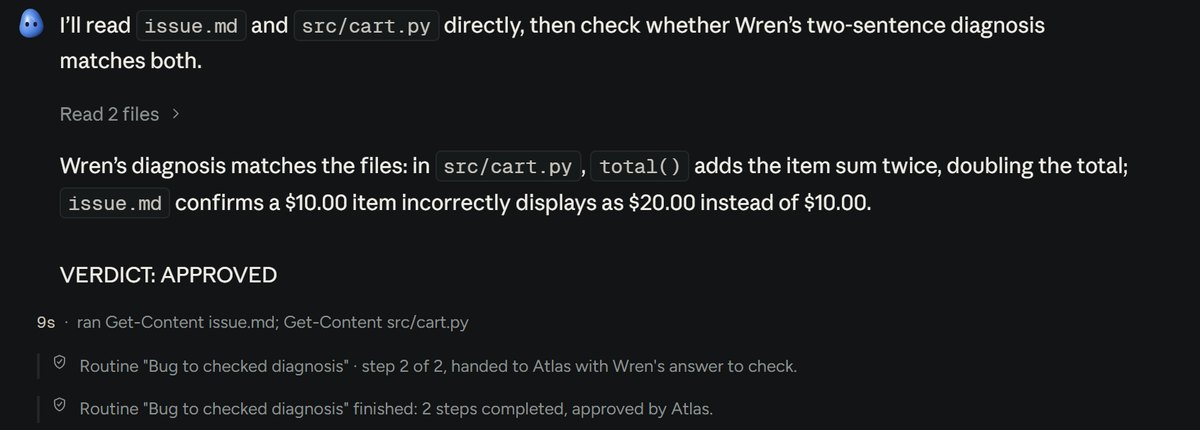
Teammates check each other
They hand work to each other by name, and the checker you pick, on another AI if you like, must approve before a run counts.
Run Claude Code, Codex, Cursor, OpenCode and Copilot on the plans you already pay for, side by side on your machine.
No plan yet? Start free with OpenCode.
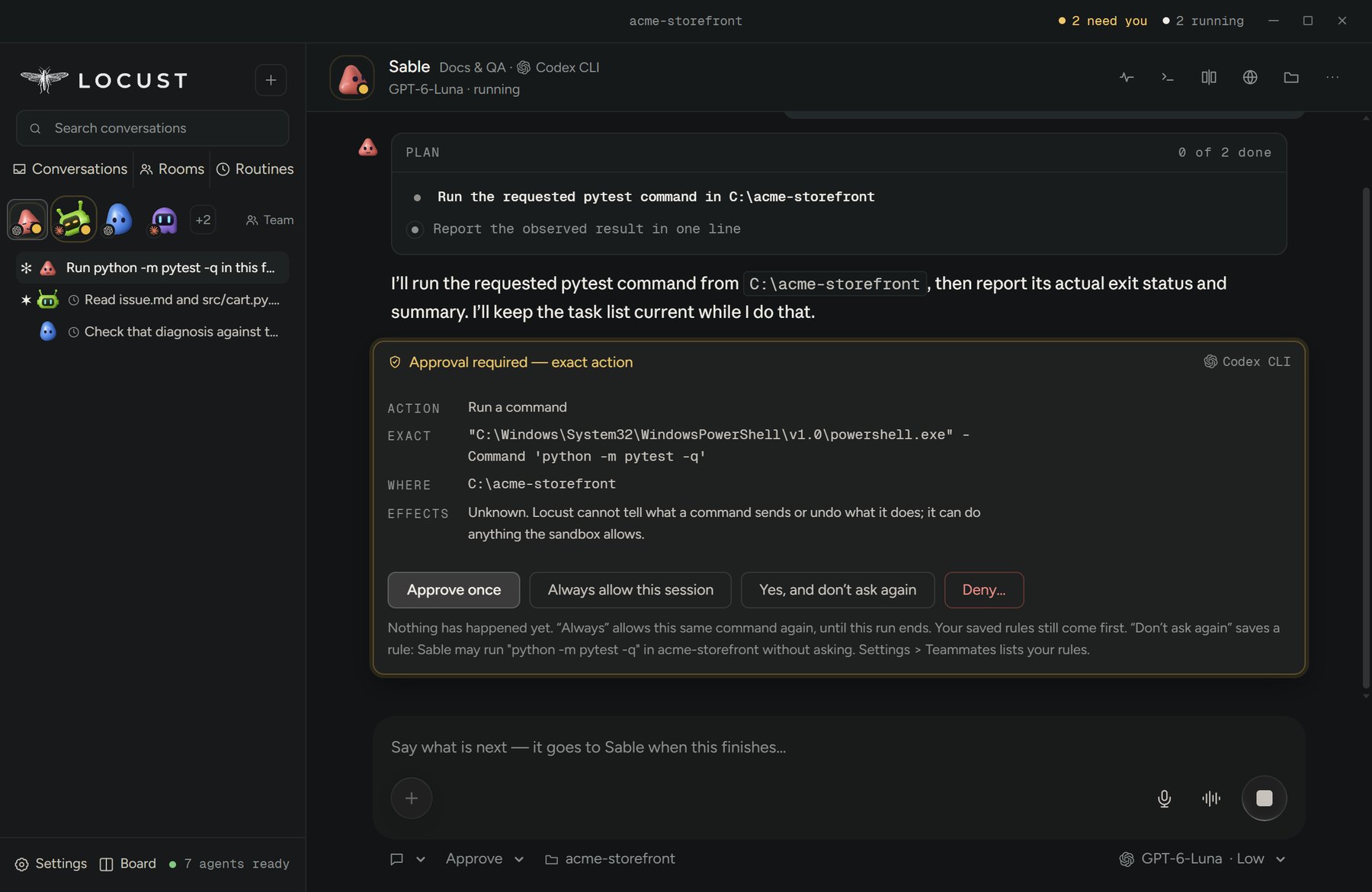
Need you 2 Running 2
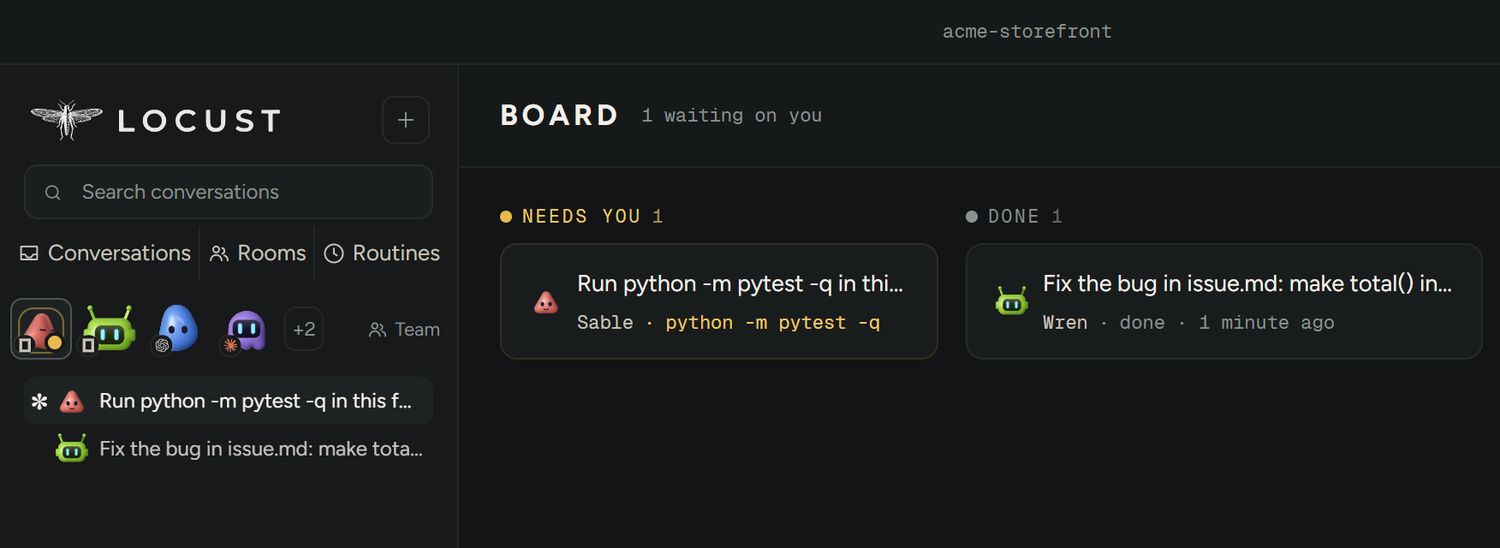
A real run: Wren on Claude Code found the bug, Atlas on Codex checked it, and Sable waits on you before running the tests.
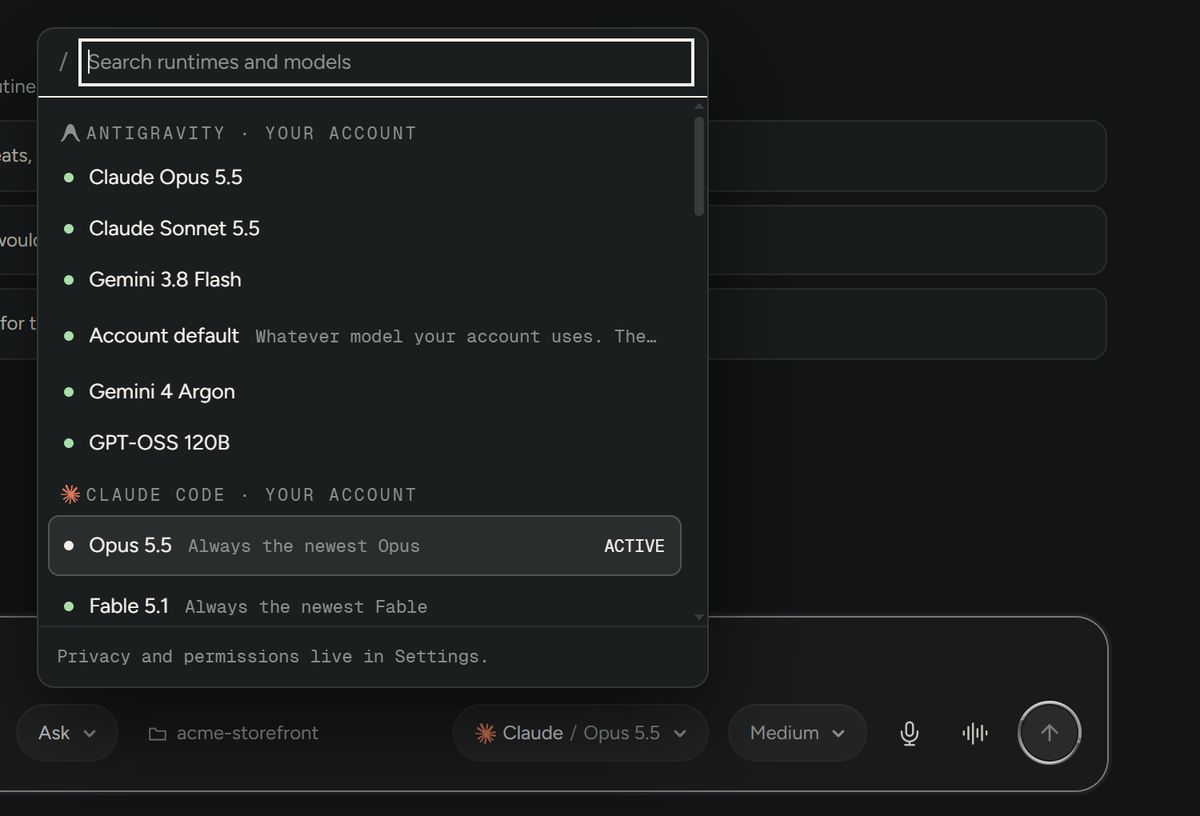
Model control
Each teammate runs on the agent and model you pick, from the lists your own accounts offer.
Set the effort, or switch a conversation to another AI partway through.
How it works
Every agent runs in its own structured mode, on your account, and tells Locust what it is doing.
claude -p --output-format stream-json --permission-prompt-toolClaude Code: each approval arrives as a requestcodex app-serverCodex: JSON-RPC, turn by turnopencode acpOpenCode: Agent Client Protocolcopilot --acpCopilot: Agent Client Protocolcursor-agent --output-format stream-jsonCursor: streamed eventsagy --output-format stream-jsonAntigravity: streamed eventsmuse exec --jsonMuse Code: JSONLSo when the Board says needs you, it is a request the agent is paused on, never a guess.
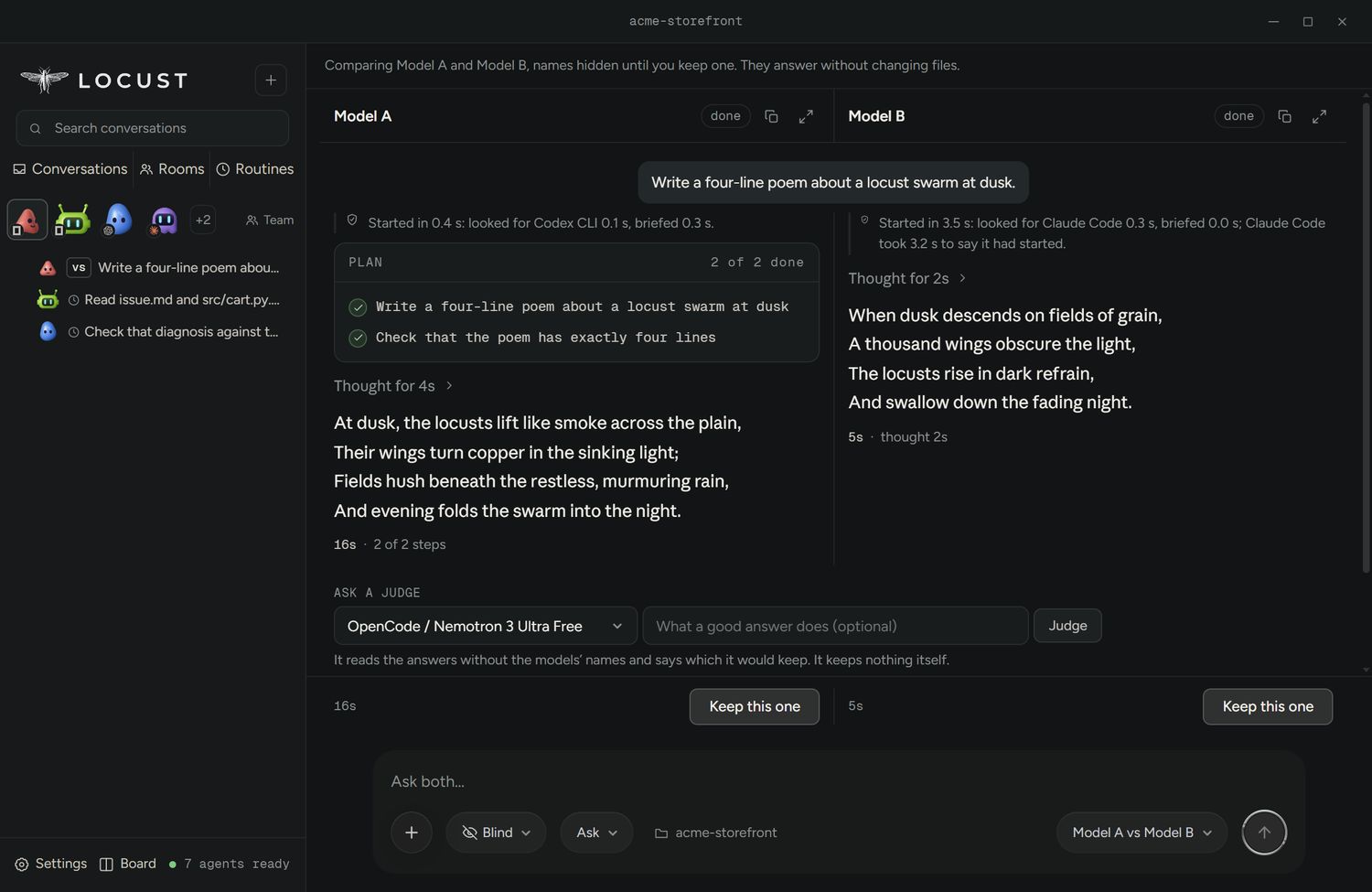
Compare
Each works in its own copy of the folder, or blind with the names hidden until you pick. Keep the one you like.
Voice
Calls run on your ChatGPT plan, through Codex CLI signed in with ChatGPT, so there is no key to add. On Windows for now.
Talk with a teammatePress Talk in their conversation and you are on a call. The voice speaks as them, and what you ask goes into their conversation, where they do the work on their own agent.Talk on HomeChatGPT's own voice reads your folder and checks quick things through your connectors. Anything that would send or change something waits for your Allow.Ctrl+Alt+SpaceStarts Talk from any app, even with Locust in the tray. Nine voices to pick from, one per teammate if you like.Voice typingSpeak into the message box instead of typing. It runs on your computer after a one-time download, or through your own OpenAI key, billed to that key. Windows, x64.What it does
Every teammate on its own agent and model, on your computer, on the plans you have.
They hand work to each other by name, and the checker you pick, on another AI if you like, must approve before a run counts.
No Locust account and no telemetry. Your phone reaches it sealed end to end.
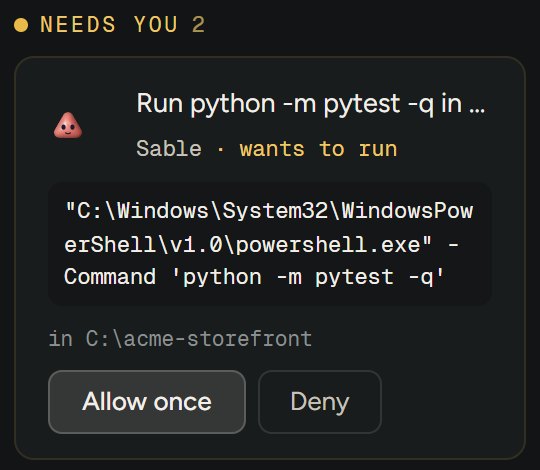
In Approve each, nothing runs until you have seen the exact command or change and where it happens.
When Claude Code or Codex hits its limit, one press hands the rest to another agent you picked, told what was done.
Put your folder back as it was before a teammate's turn, with or without Git.
Run a teammate every few hours, daily, weekly, when files change or when a private link is called.
Add any model that speaks the OpenAI API: a company gateway, Ollama, LM Studio. The key is locked by your operating system.
Turn it on and your other AI apps can ask your teammates. The Claude app is added in one press.
Remote
Your phone and your browser are sealed end to end: the relay between them and your computer passes along what it cannot read.
app.locust.lolYour phone, from anywhere. Alerts when something needs you.
app.locust.lol/deskThe whole window, in any browser you pair.
Message a teammate, and Allow or Deny its cards with a tap.
Keeps watch on your repo, even while your computer is off. Never acts by itself.
Price
Locust is free and MIT: every feature, no account, no paid tier. Your teammates run on the plans you already pay for, Claude, ChatGPT, Cursor or Copilot, or on OpenCode's free models.
Questions
Yes. Locust is free and MIT, with every feature, no account and no paid tier. You pay only for the AI plans you already have, and OpenCode has free models if you have none.
Claude Code, Codex, Cursor, OpenCode, GitHub Copilot and Muse Code, plus Antigravity (experimental) and Kilo (Preview). You can also add any model that speaks the OpenAI API, such as Ollama or LM Studio, or an agent of your own.
No. Each agent runs with its own sign-in, on your own plan: a Claude plan for Claude Code, ChatGPT for Codex, your Cursor or Copilot subscription. Locust never proxies or resells it.
When Claude Code or Codex stops because your plan ran out, its card offers to carry the work on with another agent in one press, and that agent is told what was asked and what was done. The same goes when an agent stops on an expired sign-in, a provider that is down or no network before it has done anything. Settings can make it happen by itself, only to an agent you picked.
Only as far as its mode allows. Ask and Plan change nothing. In Approve each, Claude Code, Codex, OpenCode and Copilot show you every command and file change on a card before it runs. What Locust can stop on each agent is written out in What Locust can stop.
On your computer. There is no Locust account and no telemetry. Your phone and browsers reach it through a relay that passes along what it cannot read. Discord, Slack and Telegram, if you turn them on, can read what goes through them.
Windows 10 or 11 (64-bit), macOS 13 or later on Apple silicon or Intel, and Linux as an AppImage, .deb or .rpm. The Windows, Mac and AppImage builds update themselves.
Yes. Pair your phone in Settings, then open app.locust.lol from any network to message your teammates and answer their cards. Discord, Slack and Telegram work too.
Download
Locust drives the coding agents you have. On first launch it offers to install what is missing, and it carries its own npm.
Locust-Setup.exeWindows 10 or 11, 64-bit, 135 MB. Updates itself.DownloadUnsigned: on first install Windows warns. Press More info, then Run anyway.
SHA-256 checksums are published with each release, on the release page.